How to buy on the Atomy Australia website
Atomy sells its products itself, on its own website. To place an order, you register once as a Consumer. Below we show every step.
Registration is free. No registration or annual fees. To keep your account active, buy at least one eligible product every 12 months.
Remember the code: after registering, type it into the Atomy store search.
Who Atomy are
- A company from South Korea, founded in 2009
- Present in 27 countries and regions
Video: registration step by step
Step by step
-
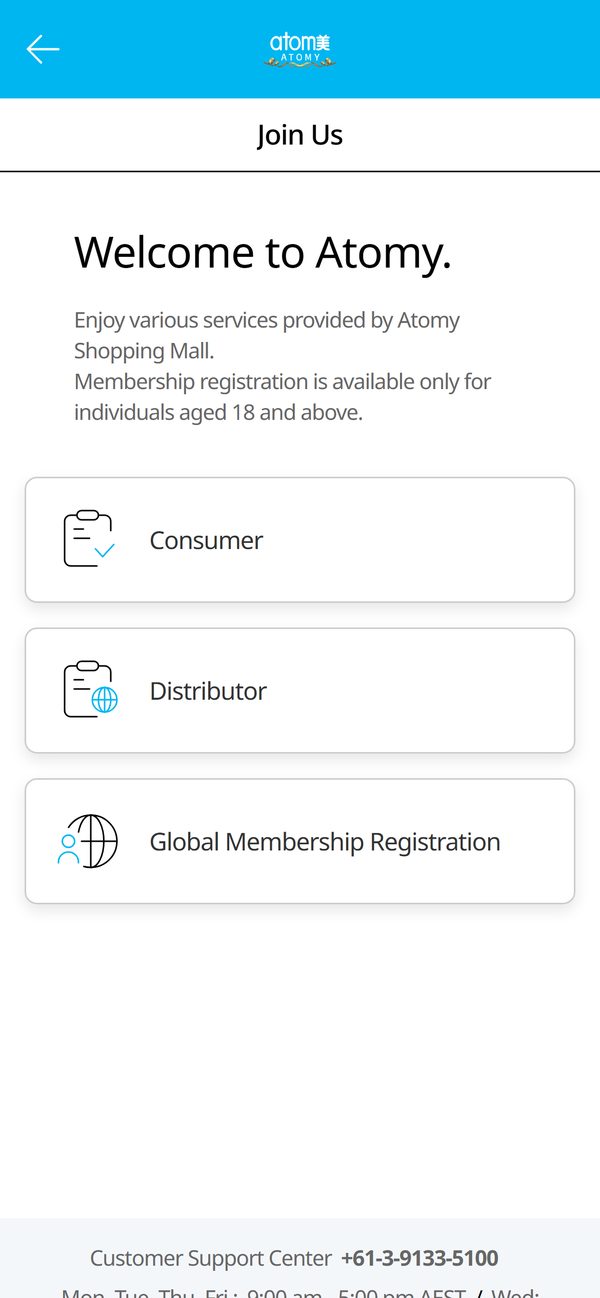
Choose “Consumer”
Tap the blue button at the bottom of the screen. The Atomy Australia website opens. Choose the “Consumer” tile: it is for people who buy for themselves.
-
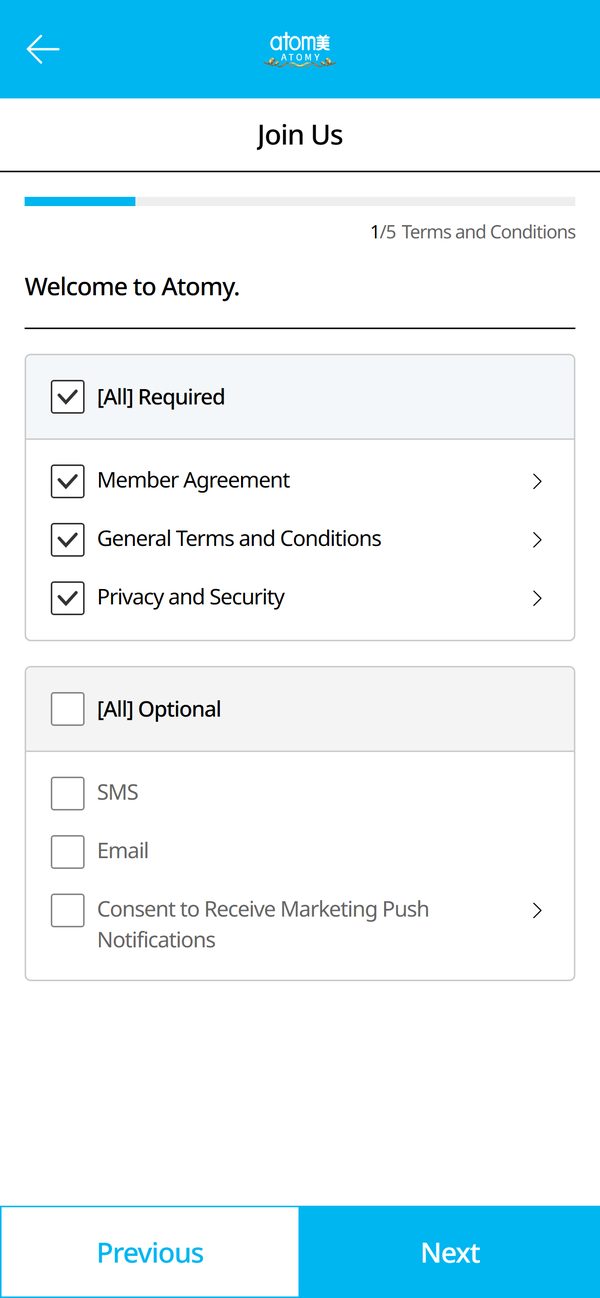
Accept the terms
Check “[All] Required” and tap “Next”. Marketing notifications are optional.
-
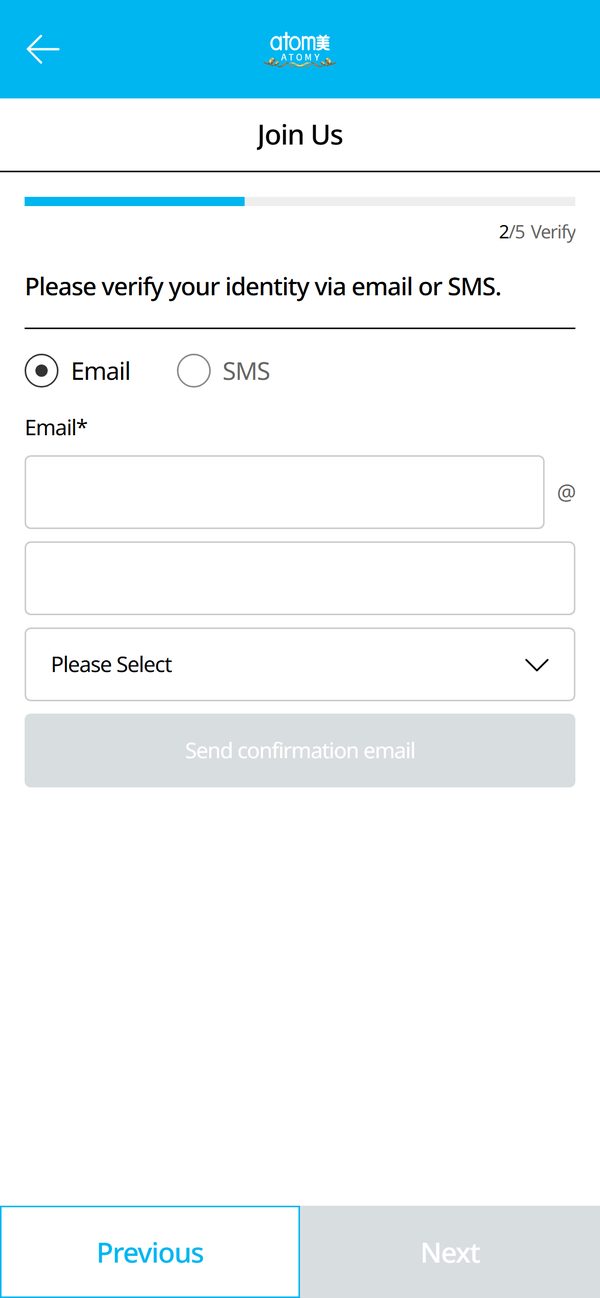
Verify your email
Enter your email, tap “Send confirmation email”, then type the code from the email and tap “Next”. You can pick “SMS” instead of “Email”.
-
Fill in your details
Enter what the form asks for, such as name, date of birth and phone.
Password — 8–14 characters with letters, a number and one special character such as ! or #. -
Check and confirm
Your sponsor is already assigned — no need to change anything. On the last step, check your details, tick the confirmation box and tap the confirm button.
Without the confirm button there is no registration — do not close the page before it. -
Find the product and order
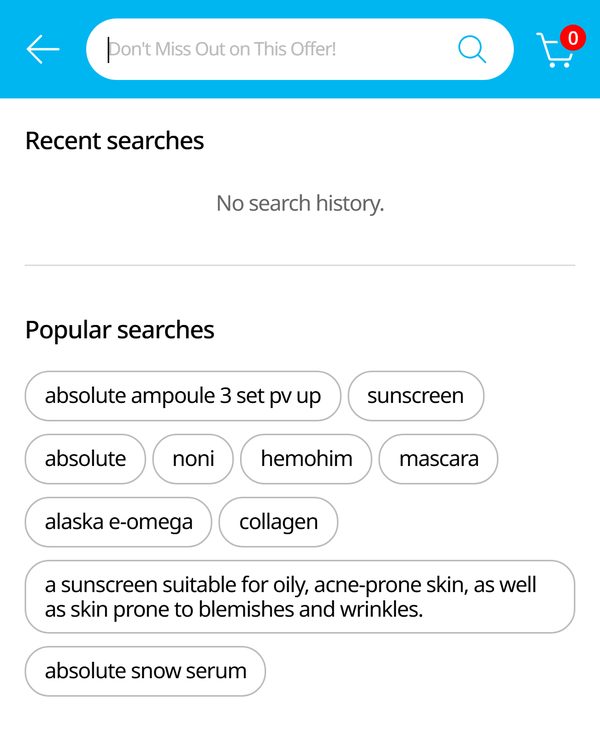
Open the Atomy store, enter the product code in the search and add it to your cart.
Not working?
Message us — we will help you register and find the product.
Message us on Instagram DirectWe are independent Atomy members, not Atomy itself. The registration button uses our member referral link.