How to buy on the Atomy Singapore website
Atomy sells its products itself, on its own website. To place an order, you register once as a Consumer. Below we show every step.
Registration is free. There are no fees to join. To keep your account active, buy at least one eligible product a year.
Remember the code: after registering, type it into the Atomy store search.
Who Atomy are
- A company from South Korea, founded in 2009
- Present in 27 countries and regions
Video: registration step by step
Step by step
-
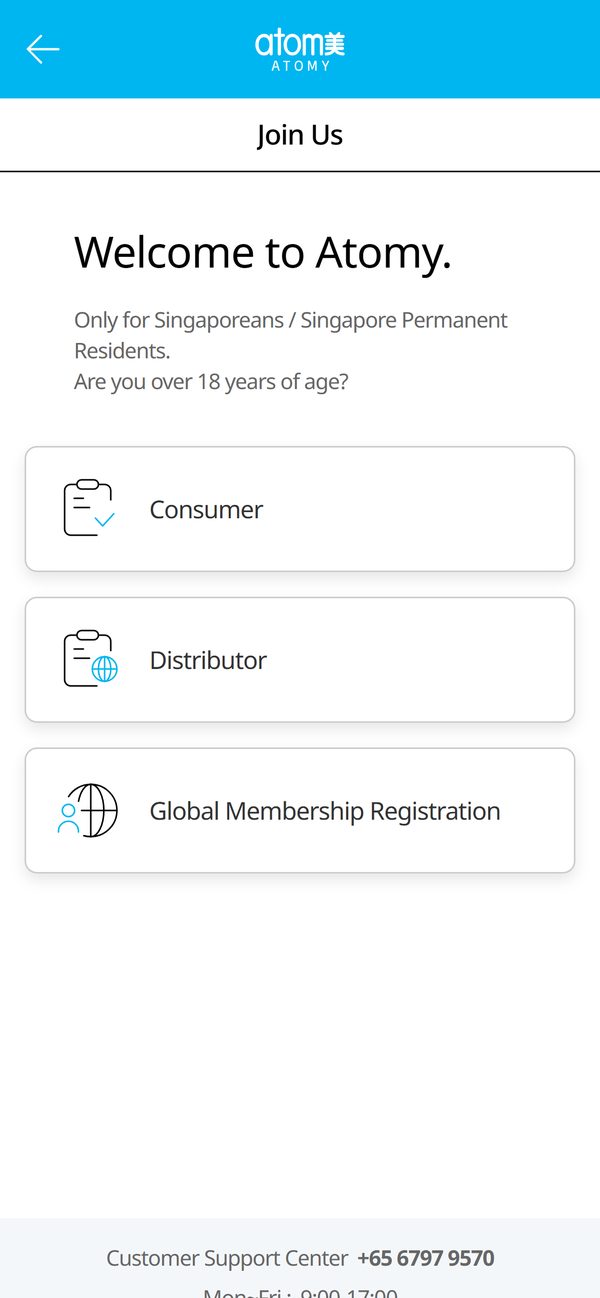
Choose “Consumer”
Tap the blue button at the bottom of the screen. The Atomy Singapore website opens. Choose the “Consumer” tile: it is for people who buy for themselves.
-
Read the documents
Open each of the four required documents, scroll to the end and tick its box, then tap “Next”. Marketing notifications are optional.
The boxes unlock only after you have scrolled through each document.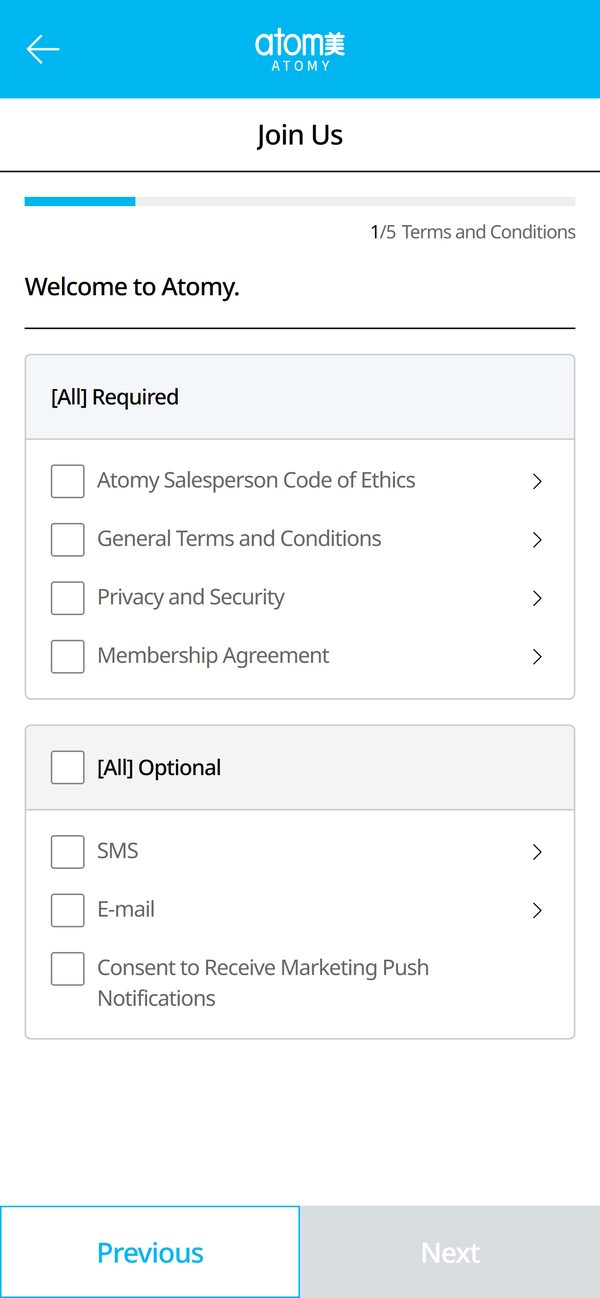
-
Fill in what the site asks
Enter your email or phone and your name.
We cannot show this screen: it opens only after you have read the documents yourself. -
Your details and password
Enter what the form asks for.
Password — 8–14 characters with letters, a number and one special character such as ! or #. -
Check and confirm
Your sponsor is already assigned — no need to change anything. On the last step, check your details, tick the confirmation box and tap the confirm button.
Without the confirm button there is no registration — do not close the page before it. -
Find the product and order
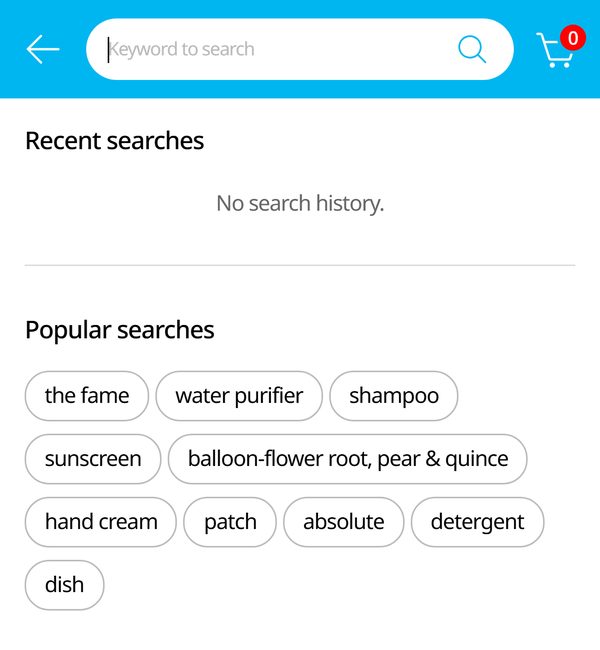
Open the Atomy store, enter the product code in the search and add it to your cart.
Not working?
Message us — we will help you register and find the product.
Message us on Instagram DirectWe are independent Atomy members, not Atomy itself. The registration button uses our member referral link.